

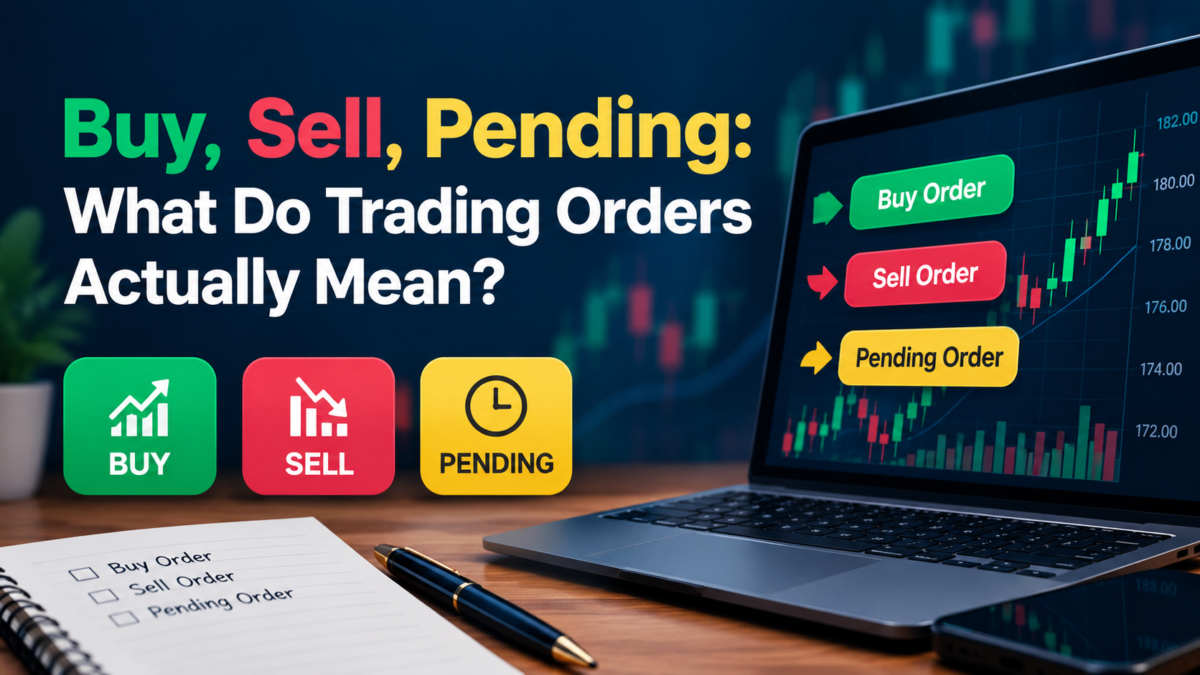

On a modern trading platform, placing an order can take seconds.
Choose an instrument. Open the order window. Enter the relevant details. Press a button.
The simplicity is intentional.
But the fact that something is easy to do on a screen doesn’t mean there is nothing happening behind that screen.
For Martin Dragovich, working in customer success at HedgeWise, this is where some of the more practical platform questions begin. Customers can usually see that an order has been submitted, but understanding the information that appears before and afterward is another matter.
“Trading platforms are designed to make the process accessible,” Dragovich says. “But there are still different stages and different pieces of information being displayed. Understanding those makes the platform much easier to follow.”
So what is actually happening around that Buy or Sell button?
Table of Contents
Before the Button, There Are Two Prices
One of the first things a customer may notice is that a trading platform doesn’t necessarily show just one price.
There can be a bid and an ask.
The difference between them is the spread.
That immediately makes a trading screen different from the simple price somebody might see in a newspaper article, search result or general finance app.
The platform is displaying information relevant to executing transactions, rather than simply providing a headline market quote.
For Martin, knowing which number is which is basic platform literacy.
“A customer can be looking at the correct instrument and still wonder why there are two prices,” he says. “Once the bid, ask and spread are understood, that part of the order screen becomes much clearer.”
Market Order or Pending Order?
Not every order is designed to operate in exactly the same way.
A market order is associated with execution using the available market pricing when the order reaches the market.
A pending order works differently. It contains an instruction linked to specified conditions and remains pending unless those conditions are met, subject to the platform’s order mechanics and market conditions.
From a customer-success perspective, the important part is understanding what status the platform is showing.
An order that is pending isn’t the same thing as a position that is already open.
That distinction becomes particularly important when customers begin using more of the functionality available on an advanced platform.
“Sometimes the question isn’t whether the order exists,” Martin says. “It’s understanding what stage it’s currently in and where that information appears.”
Why Can a Price Change So Quickly?
Prices displayed on an active market aren’t static labels.
They can update continuously.
On relatively quiet days, those changes may appear gradual. Around major economic announcements or periods of increased market activity, the numbers can change considerably faster.
That matters because clicking a button and processing an order aren’t literally the same instant.
Market conditions can continue changing during that process.
This is one reason the price somebody noticed before opening an order window isn’t necessarily a permanent price waiting for them.
The platform is showing a live financial environment, not a fixed online catalogue.
For South African customers accessing international markets, this can become particularly visible during periods when major overseas markets are active or significant global news is being released.
Where Did My Order Go?
After an order is submitted, the next question can be surprisingly ordinary.
Where is it?
Advanced platforms generally separate information into different areas.
Open positions may appear in one section.
Pending orders can appear somewhere else.
Completed activity can move into account or transaction history.
At first, that can make an order seem as though it has disappeared when it has simply moved to another part of the platform.
This is exactly the type of navigation question that reaches customer success.
“Once customers understand where open positions, pending orders and historical activity are displayed, following what happened becomes much easier,” Dragovich says.
The platform isn’t only processing activity.
It is also creating a record of it.
Opening and Closing Are Separate Events
An open position remains part of the account until it is closed according to the applicable order process.
That means opening information and closing information can appear separately in account records.
For somebody accustomed to ordinary online purchases, this structure can initially feel unfamiliar.
Buying something from an online shop generally completes the transaction.
A trading position has a lifecycle.
It can be opened, remain open while market prices change, and later be closed. During that period, relevant account figures can change as well.
The platform therefore needs to show more than the original action.
It needs to show the continuing state of the position.
For Martin, understanding that lifecycle helps make several other areas of the account easier to interpret.
Why Do Equity and Margin Change Afterward?
This is where the order screen connects with the account dashboard.
CFDs are leveraged instruments. Once a leveraged position is open, changes associated with that position can be reflected in account information such as equity and available margin.
Suddenly, numbers that looked static before the position was opened may start changing.
Nothing necessarily needs to be wrong.
The account is reflecting information associated with its current state.
This is why understanding balance alone doesn’t provide the complete picture of a leveraged trading account.
Martin sees these fields as connected parts of the platform rather than separate pieces of financial jargon.
“You place an order in one area of the platform, but the effects of having an open position can become visible elsewhere in the account,” he says. “That’s why knowing where the different account figures are located is useful.”
What About Stop Loss and Take Profit?
Modern platforms also provide order-management functions such as Stop Loss and Take Profit.
These allow specified price levels to be associated with a position, subject to the relevant order instructions and market conditions.
From Martin’s side of the customer experience, the practical questions are about how those controls appear and operate within the platform.
Where can the instruction be entered?
Where does it appear afterward?
Can the customer see that it has been attached to the position?
Where are existing order details displayed?
These are important platform questions because an order-management feature is only useful when the customer understands how the platform represents it.
Why Does Order History Matter?
Live markets naturally attract attention.
But when a customer wants to understand something that happened yesterday, last week or earlier in the account’s history, the live chart isn’t necessarily the most useful place to look.
That’s what account records are for.
Order and transaction history can provide information about previous activity, creating a record that can be reviewed after the event.
For Martin, this becomes particularly useful when customer questions begin with phrases such as “Where can I find…?”
The answer may already exist inside the account.
The customer simply needs to know where the platform stores it.
“History gives customers a way to go back and review recorded account activity,” Dragovich says. “It turns something that happened in the past into information they can still locate.”
Mobile Makes the Button Easier to Reach
The entire process has also moved beyond desktop computers.
A customer can access supported trading functionality from a smartphone, which means the distance between seeing a market and opening the relevant platform can be only a few taps.
For South Africans who spend much of the day away from a desk, that accessibility has changed the practical experience of online trading.
But a smaller screen doesn’t change what the underlying platform functions represent.
Orders still have statuses.
Positions still have account information associated with them.
Market prices still change.
History still matters.
The interface has simply been compressed into a device that fits in a pocket.
That makes clear platform design, understandable terminology and accessible customer support even more important.
The Button Is the Simplest Part
Financial technology has become extremely good at simplifying visible actions.
That’s why opening an account can take place online.
It’s why international markets can appear on one screen.
And it’s why placing an order can be reduced to a relatively small number of steps.
But the Buy or Sell button is only the most visible part of the process.
Around it sit prices, spreads, order types, statuses, open positions, margin information, account history and order-management functions.
For Martin Dragovich, customer success lives in that surrounding layer.
The technology handles the button.
Understanding what the platform shows before and after the button is where customers often have more questions.
And the more advanced trading platforms become, the more useful it is to understand what those few seconds on the screen actually represent.
Frequently Asked Questions
Why does a trading platform show a bid and ask price?
The bid and ask represent different sides of market pricing displayed by the platform. The difference between them is known as the spread.
What is a market order?
A market order is an instruction associated with execution using available market pricing when the order reaches the market, subject to applicable market conditions and platform execution.
What is a pending order?
A pending order is an instruction that remains pending until its specified conditions are met, subject to the relevant platform mechanics and market conditions.
Why might an order appear in a different part of the platform afterward?
Platforms can separate open positions, pending orders and historical activity into different sections. The location of the information can therefore change according to the status of the order or position.
Why can account equity change when a position is open?
Equity can reflect changes associated with currently open positions. As those values change, the equity displayed on the account can change as well.
What information can order history provide?
Order or transaction history can provide records of previous account activity, allowing customers to locate information after the activity has already occurred.
Can I view order information on mobile?
Supported mobile trading environments can provide access to account, market, position and order information, although the exact interface can differ from a larger desktop display.